Never let a Telegram chat go cold
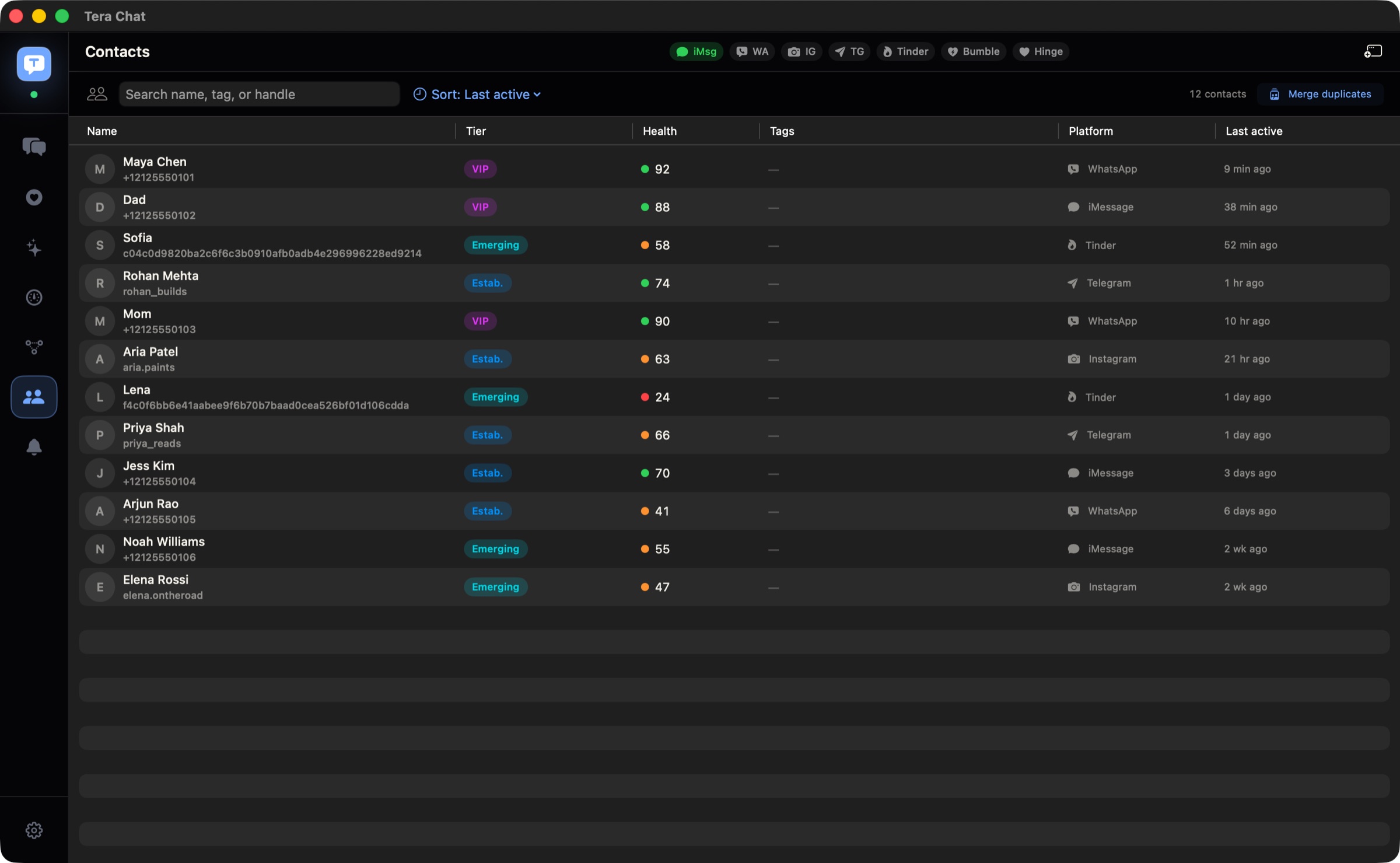
Tera Chat for Mac signs in through Telegram's own web app, in a private browser window that only Tera Chat uses, and keeps your Telegram chats from going cold: one click writes your reply in your own style, it flags questions you never answered and chats that are fading, and Auto-wish can send good morning to someone you're seeing. Behind on a long chat? Catch up with a summary.
Free · macOS 15 or later · Apple silicon
How to connect Telegram
- Make sure Google Chrome, Brave or Microsoft Edge is installed: Telegram's sign-in window uses one of them.
- In Tera Chat, go to Settings → Messaging → Telegram and click Sign in. Telegram's web app opens in a private browser window.
- Sign in to Telegram there, as you would on the web.
- Click Sync History and your Telegram chats come in.
What works
- Read and reply to your Telegram chats.
- Telegram threads have their own filter chip, or mix with every other network in one list.
- Search finds conversations and people, and your messages are also indexed in macOS Spotlight.
What Tera Chat adds to Telegram
- The reply button (needs AI): with the message box empty, click the sparkle and Tera Chat writes a reply in your style.
- It remembers for you (needs AI): birthdays and life events caught from your chats, with a reminder before the day, and Ask about this chat for anything someone mentioned weeks ago.
- Auto-wish (free): good morning, good night or a midday hello sent at a natural time each day, for someone you're seeing.
- Autopilot (off until you turn it on): keeps a chat going for you, with each reply waiting in Drafts for you to send.
- Missed cues and fading chats (free), so a question in a busy chat doesn't go unanswered.
- One contact list (free) for everyone you talk to on every network, with when you last talked and a health score.
- Summaries (needs AI): ⇧⌘S on a long chat you've fallen behind on.
Auto-wish, the inbox, search, missed cues, fading-chat alerts and health scores are free and need no AI. The reply button, birthday reminders, summaries and Ask about this chat need AI: your own ChatGPT account (through OpenAI's Codex), your own Claude or Grok API key, or a Tera Chat AI plan. Autopilot runs on your ChatGPT account or any Tera Chat AI plan (in 5 chats on AI Plus, every chat on AI Pro and AI Max).
Limits, plainly
- Google Chrome, Brave or Microsoft Edge must be installed for the sign-in window.
- Secret Chats stay on the device that started them, so they don't appear in Tera Chat.
- Sending from Tera Chat is text only.
- Reactions and quoted replies you add in Tera Chat aren't sent to Telegram.
- Tera Chat doesn't show a notification for every new message.
Where your Telegram messages stay
Your Telegram sign-in stays in an isolated browser profile on your Mac that only Tera Chat uses, and your messages are stored on your Mac, never on a Tera Chat server. If you set up AI, the conversations it works on go to the provider you picked; on a Tera Chat AI plan they go to Anthropic's Claude through Tera Chat's server, which passes them on and doesn't keep them. More in is Tera Chat safe?
Telegram guides
- Telegram on Mac: "Telegram for macOS" vs "Telegram Desktop" vs "Telegram Lite"
- How to summarize Telegram chats (Telegram's built-in AI only does channels)
- iMessage vs WhatsApp vs Telegram on a Mac: which works best?
- How to connect WhatsApp, Telegram, Instagram and Tinder to Tera Chat
- How to export iMessages, WhatsApp, Telegram and Instagram chats on a Mac
- Telegram chat analyzer (free tool, runs in your browser)
- Telegram chat to PDF (free tool, runs in your browser)
Questions
Do I need the Telegram app on my Mac?
No. Tera Chat signs in through Telegram's web app in its own private browser window. You do need Google Chrome, Brave or Microsoft Edge installed, because that window uses one of them.
Is Tera Chat an official Telegram app?
No. Tera Chat is an independent Mac app made by Tera Labs. It isn't affiliated with or endorsed by Telegram.
Where is my Telegram sign-in kept?
On your Mac, in an isolated browser profile that only Tera Chat uses. Your messages are stored on your Mac and never uploaded to a Tera Chat server.
Can Tera Chat summarize a long Telegram chat?
Yes, once AI is set up: press ⇧⌘S in the chat. AI can be your own ChatGPT account through Codex, your own Claude or Grok API key, or a Tera Chat AI plan.
Can I see stats for a Telegram chat without installing anything?
Yes. The free Telegram chat analyzer on this site reads a Telegram Desktop export in your browser and shows who talks more, who starts conversations and reply times. Nothing is uploaded.