From Tinder to Instagram, without starting over
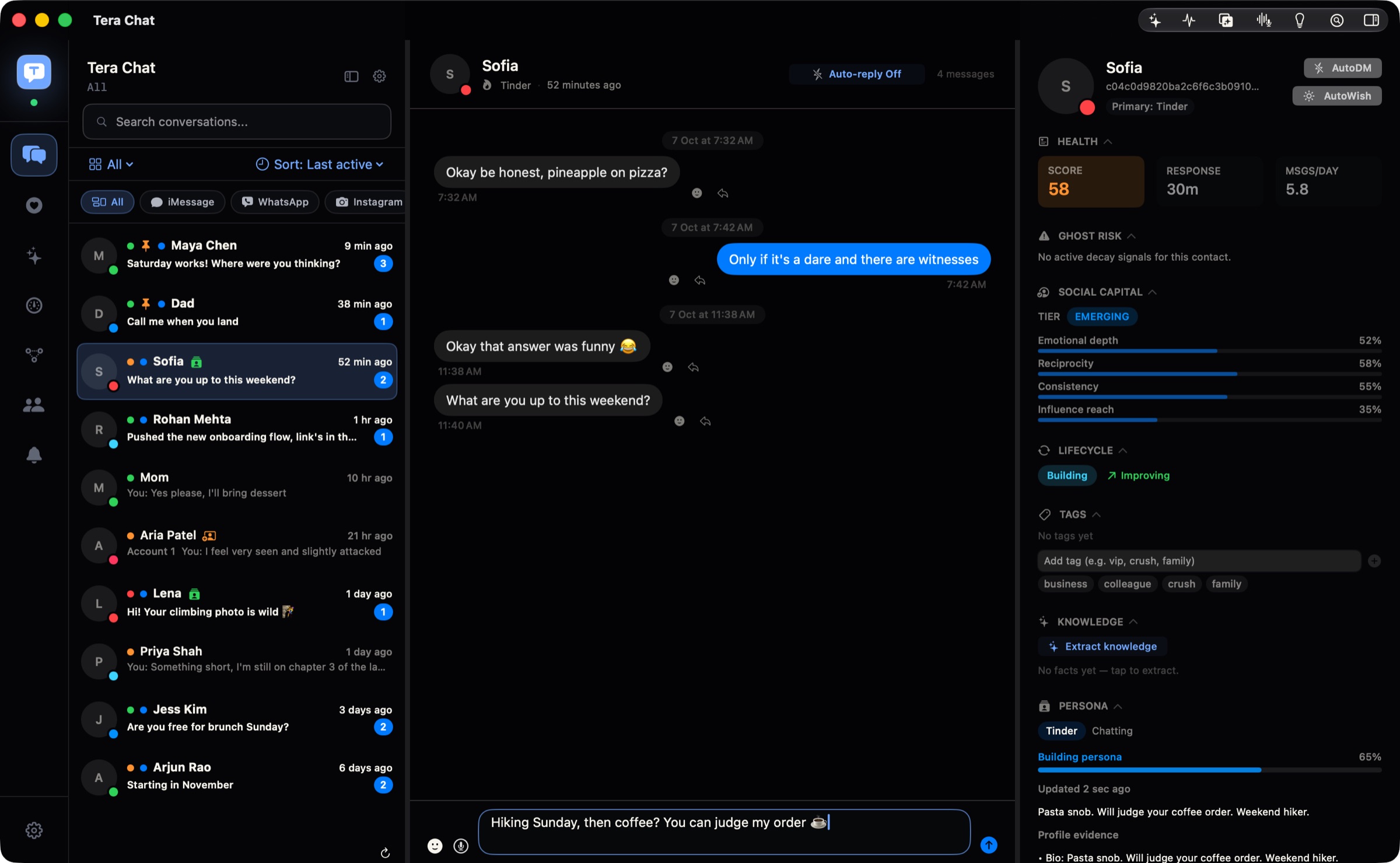
When a Tinder chat goes well, it often moves to Instagram, and starting again with "hey" there wastes a good start. Tera Chat for Mac carries it on. When a match shares their Instagram, Tera Chat tells you, and with "continue on Instagram" on it follows them and picks the chat up in the same style, without introducing you twice. Your DMs from up to three Instagram accounts sit next to the Tinder chats they came from.
Free · macOS 15 or later · Apple silicon
How to connect Instagram
- Go to Settings → Messaging → Instagram accounts and click Connect.
- Sign in on Instagram's own login page, which opens inside Tera Chat.
- For a second or third account, click Connect again and sign in with that account.
- Your DMs start coming in as soon as you're signed in.
What works
- Read and send DMs from up to three Instagram accounts in one inbox.
- When a Tinder match shares their Instagram, Tera Chat tells you and shows their profile. Turn on Automatically continue on Instagram and it follows them and carries the chat on there, next to the Tinder chat it came from, while Tinder messages to them pause. (Tinder's terms restrict third-party apps that connect to your account: read is it against Tinder's rules to use AI? first.)
- Search finds conversations and people, and your messages are also indexed in macOS Spotlight.
What Tera Chat adds to Instagram
- The reply button: with the message box empty, click the sparkle and Tera Chat writes a reply in your style. Instagram replies need your own ChatGPT account through Codex or a Tera Chat AI plan (Claude and Grok API keys aren't used for Instagram).
- A profile of every match: what they like and what they've told you, with red flags worth a second look, and a health score that shows who's into it.
- It remembers for you (needs AI): birthdays and life events caught from your DMs, with a reminder before the day, and Ask about this chat.
- Auto-wish (free): good morning, good night or a midday hello sent at a natural time each day, for someone you're seeing.
- Autopilot (off until you turn it on): keeps a chat going for you, with each reply waiting in Drafts for you to send.
- Missed cues (free): DMs with a question you never answered, flagged with a Draft button.
Auto-wish, the inbox, search, missed cues, fading-chat alerts and health scores are free and need no AI. The reply button, birthday reminders, summaries and Ask about this chat need AI: your own ChatGPT account (through OpenAI's Codex), your own Claude or Grok API key, or a Tera Chat AI plan. Autopilot runs on your ChatGPT account or any Tera Chat AI plan (in 5 chats on AI Plus, every chat on AI Pro and AI Max).
Limits, plainly
- Up to three Instagram accounts.
- Sending from Tera Chat is text only.
- Instagram calls open Instagram's own web app.
- Reactions and quoted replies you add in Tera Chat aren't sent to Instagram.
- Tera Chat doesn't show a notification for every new message.
Where your Instagram messages stay
Your Instagram sign-in stays in Tera Chat's own storage on your Mac, and your DMs are stored on your Mac, never on a Tera Chat server. If you set up AI, the conversations it works on go to the provider you picked; on a Tera Chat AI plan they go to Anthropic's Claude through Tera Chat's server, which passes them on and doesn't keep them. More in is Tera Chat safe?
Instagram guides
- How to read and reply to Instagram DMs on a Mac
- Is there an Instagram app for Mac? (The October 2026 answer)
- Number, Instagram or WhatsApp? When and how to move off a dating app safely
- How to connect WhatsApp, Telegram, Instagram and Tinder to Tera Chat
- Are all-in-one messaging apps safe? Bridges, bans and privacy in 2026
- Instagram chat analyzer (free tool, runs in your browser)
- Instagram chat to PDF (free tool, runs in your browser)
Questions
What happens when a Tinder match gives me their Instagram?
Tera Chat tells you and shows their Instagram profile. Turn on "Automatically continue on Instagram" and it follows them and carries the chat on there in the same style, without introducing you twice. Tinder messages to them pause.
Can I use more than one Instagram account in Tera Chat?
Yes, up to three Instagram accounts in one inbox. Connect each one from Settings → Messaging → Instagram accounts.
Is Tera Chat an official Instagram app?
No. Tera Chat is an independent Mac app made by Tera Labs. It isn't affiliated with or endorsed by Instagram or Meta.
Is it risky to connect Instagram to a third-party app?
Some risk comes with any app that signs in to Instagram on your behalf, and Tera Chat isn't affiliated with Meta. Our guide to whether all-in-one messaging apps are safe explains how these apps connect and what the risk means in practice.
Where does my Instagram sign-in stay?
In Tera Chat's own storage on your Mac. You sign in on Instagram's own login page, and your DMs are stored on your Mac, never on a Tera Chat server.
Which AI drafts Instagram replies?
Your own ChatGPT account through OpenAI's Codex, or a Tera Chat AI plan. Claude and Grok API keys work for other chats but aren't used for Instagram drafts.
Can I send photos on Instagram from Tera Chat?
No. Sending to Instagram from Tera Chat is text only. Photos and files can be sent on iMessage.
Can I see stats for an Instagram chat?
Yes, without connecting anything: the free Instagram chat analyzer on this site reads Instagram's own message download in your browser and shows who sends more DMs, who starts conversations and reply times.