How to read and reply to Instagram DMs on a Mac
Instagram DMs on Mac without an app: instagram.com, a Dock web app, iPhone Mirroring or a unified inbox. Steps, calls, message requests and limits (Oct 2026).
The short answer
- To read Instagram DMs on a Mac, open instagram.com, log in and click Messages on the left; to start a chat, click Compose.
- The web version handles text, photos, voice messages, message requests and audio or video calls with up to eight people.
- For an app-like window, use Safari's File > Add to Dock (macOS Sonoma or later); for the real iPhone app on your Mac, use iPhone Mirroring (macOS Sequoia or later, not in the EU).
- If you check Instagram alongside WhatsApp, iMessage and Telegram, a unified inbox shows DMs from all of them in one list, with trade-offs on calls and notifications.
To read and reply to Instagram DMs on a Mac, go to instagram.com in any browser, log in, and click Messages on the left. Everything you need for messaging works there: text, photos, voice messages, message requests and audio or video calls. There’s no Instagram app for Mac, but you can give the website its own Dock icon, mirror your iPhone’s Instagram app, or see your DMs in one inbox with your other chats.
Below are the four options compared, the exact steps for each (checked against Instagram’s and Apple’s help pages on 20 October 2026), and the limits to know before you pick one.
Four ways to use Instagram DMs on a Mac
| Option | What you get | Limits | Best for |
|---|---|---|---|
| instagram.com in a browser tab | All DMs, photos, voice messages, requests, calls with up to eight people | Easy to lose among tabs; alerts only if you allow browser notifications | Checking DMs now and then |
| Dock web app (Safari or Chrome) | The same website in its own window, with a Dock icon and badge | Safari’s version needs macOS Sonoma 14 or later | People who live in Instagram DMs |
| iPhone Mirroring | Your iPhone’s real Instagram app in a window on your Mac | macOS Sequoia 15+, iOS 18+, iPhone locked and nearby, not available in the EU | Features that only exist in the phone app |
| A unified inbox app | Instagram DMs in one list with WhatsApp, iMessage, Telegram and more | Third-party and unofficial; feature gaps vary by app | Juggling several chat apps |
Option 1: Instagram DMs in your browser
This is what Instagram’s help center documents for computers, and it works in Safari, Chrome, Firefox and Edge.
To read and reply:
- Go to instagram.com and log in.
- Click Messages on the left. Your chats list opens.
- Click a conversation, type in the box at the bottom and send.
To start a new chat (Instagram’s steps):
- Click Messages on the left, then Compose in the top left.
- Select the people you want to message, then click Chat.
- Type your message, or click Add photo or video to attach one from your Mac, then click Send.
You can also open someone’s profile and click Message. One rule catches people out: if the person doesn’t follow you or isn’t connected with you yet, your message arrives as a request and “can only contain text” until they accept it.
Voice messages: in a chat, click Microphone, record, click End recording, then Send (Instagram). For reading them as text, our guide to turning voice messages into text covers Instagram too.
Calls: open the chat and click Call (audio) or Video in the top right, then Start call. Instagram supports calls with up to eight people, and during a call you can click Settings to switch camera or microphone (Instagram). Your browser will ask for camera and microphone access the first time.
Message requests: requests from people you don’t follow wait in your Message Requests folder until you accept them. To change who can send you requests, click More in the bottom left > Settings > Messages and story replies > Message controls (Instagram).
Option 2: Turn Instagram into a Dock web app
A web app gives Instagram its own window and Dock icon, so DMs don’t get buried in browser tabs.
Safari (macOS Sonoma 14 or later):
- Open instagram.com in Safari.
- Choose File > Add to Dock in the menu bar, keep or change the name, and confirm.
- Open the new Instagram app from the Dock and log in. Apple notes a Safari web app “shares no browsing history, cookies, website data, or settings with Safari” (Apple), so it’s a separate login.
- When it asks to send notifications, allow it inside the web app (not in Safari) to get Dock badges.
Chrome: open instagram.com, then click the More menu (three dots) > Cast, save, and share > Install page as app (Google).
If you also use Facebook Messenger, our guide to Messenger on Mac covers the same web-app route for facebook.com/messages.
Option 3: Use the iPhone app through iPhone Mirroring
If you need something the website doesn’t do, iPhone Mirroring shows your actual iPhone screen in a window on your Mac, so you can use the Instagram iPhone app with your keyboard and trackpad. Apple’s requirements:
- A Mac with Apple silicon or the Apple T2 Security Chip, on macOS Sequoia 15 or later.
- An iPhone on iOS 18 or later with a passcode.
- Both signed in to the same Apple Account with two-factor authentication, with Bluetooth and Wi-Fi on.
- The iPhone locked and near the Mac.
Apple says iPhone Mirroring “is currently unavailable in the European Union.” Open the iPhone Mirroring app on your Mac, then open Instagram in the mirrored screen.
Option 4: Instagram DMs in one inbox with your other chats
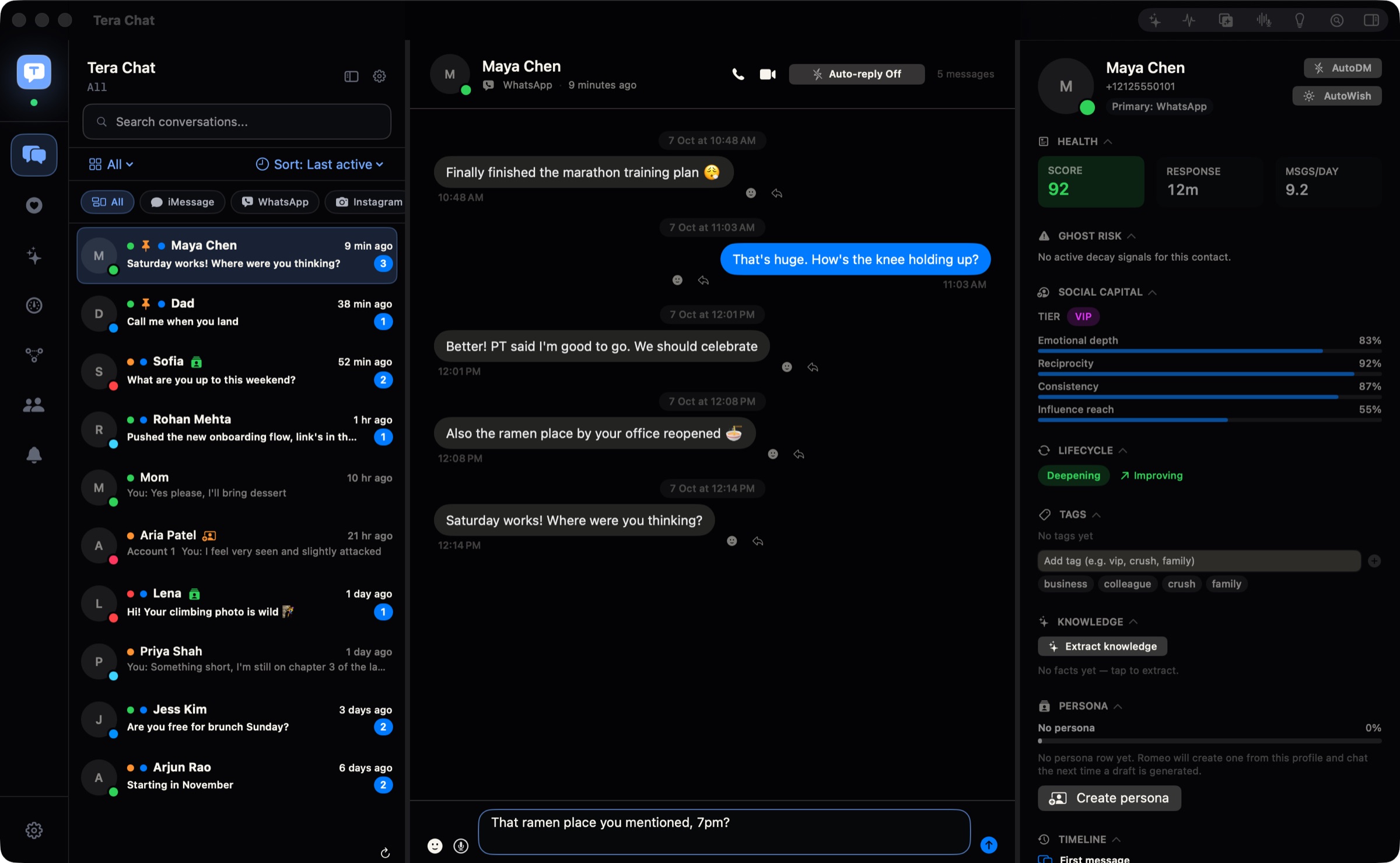
If Instagram is one of several apps you answer messages in, a unified inbox puts its DMs in the same list as WhatsApp, iMessage and Telegram. Our guide to combining WhatsApp, iMessage, Telegram and Instagram in one Mac app covers the options and what each needs.
Tera Chat is our app: a free Mac app that brings iMessage, WhatsApp, Telegram, Instagram and Tinder into one inbox and drafts replies in your own texting style. For Instagram:
- Go to Settings > Messaging > Instagram accounts > Connect.
- Sign in on Instagram’s own login page, which opens inside the app.
- Repeat for up to three Instagram accounts. Their chats share one inbox.
What it does and doesn’t do, honestly (also on the Tera Chat with Instagram page):
- Does: read and reply to DMs next to your other networks, filter the list to Instagram only, and (with AI set up) draft replies in your style and summarize long threads. AI drafts for Instagram need your ChatGPT account through OpenAI’s Codex or a Tera Chat AI plan; Claude and Grok API keys aren’t used for them.
- Doesn’t: send photos, videos or voice messages (replies from Tera Chat are text only), show the feed, Reels or Stories, or place calls itself (its call buttons open Instagram’s website). It also doesn’t notify you of every new message, so keep Instagram’s notifications on your phone.
- Needs: a Mac with Apple silicon on macOS 15 or later. Your messages stay on your Mac.
- Risk: Tera Chat isn’t affiliated with Meta, and any app that signs in to Instagram on your behalf carries some platform risk. We explain it in are all-in-one messaging apps safe?
Beeper also connects Instagram and has apps for Windows, Linux and phones, which Tera Chat doesn’t. For a wider comparison, see the best messaging apps for Mac.
Privacy: what changed for Instagram DMs in 2026
Instagram used to offer opt-in end-to-end encrypted chats. According to Instagram’s help center, end-to-end encrypted messaging on Instagram ended on 8 May 2026. That applies everywhere, not just on the web: if you need end-to-end encryption, move the conversation to an app that offers it. Our guide to which messaging apps are end-to-end encrypted compares the main apps.
Which option should you pick?
- You check DMs a few times a day: a browser tab is enough.
- You’re in Instagram DMs all day: make a Dock web app so it has its own window and badge.
- You need an app-only feature: use iPhone Mirroring (outside the EU).
- Instagram is one of four chat apps you juggle: try a unified inbox, and keep the phone app for calls and alerts.
Still wondering whether a proper Mac app exists? It doesn’t; we explain why in is there an Instagram app for Mac?
Frequently asked questions
Is there an Instagram DM app for Mac?
Not from Instagram. There's no Mac app, and the iPhone and iPad app isn't offered on Macs. Use instagram.com, a Safari or Chrome web app, iPhone Mirroring, or a third-party inbox that connects Instagram.
Can I send photos in Instagram DMs from a Mac?
Yes. In a chat on instagram.com, use Add photo or video to pick a file. If the person doesn't follow you and hasn't accepted your request yet, Instagram only lets you send text.
Can I video call on Instagram from a Mac?
Yes. Open the chat on instagram.com, click Video (or Call for audio) in the top right, then Start call. Calls can include up to eight people.
Are Instagram DMs end-to-end encrypted on the web?
No. Instagram ended its opt-in end-to-end encrypted chats on 8 May 2026, so DMs aren't end-to-end encrypted on any device.
How do I get notified of Instagram DMs on my Mac?
Allow notifications when instagram.com asks in your browser, or inside the Dock web app if you made one. Then check System Settings > Notifications so macOS isn't blocking them.
Published . How we write and check our guides. Spotted something out of date? Email hello@terachat.co.