Instagram Wrapped: your year in one DM chat
Choose your Instagram JSON export, pick a conversation and a year, then save its recap as a story-size image. See who sent the most messages, who restarted the chat, reply gaps, your longest streak and top emoji. No login, no installation, and your messages stay on your device.
Make a 2026 recap from your existing Instagram download
- Get a JSON copy of your messages. In Instagram's Accounts Center, open Your information and permissions and find the download or export option. Select your Instagram account and Messages, download to your device, and choose JSON. An all-time export lets you compare calendar years here. Menu labels can change; Meta explains the Accounts Center download.
- Choose the ZIP above. Pick it from Files or Downloads on your phone. If a conversation list appears, select one and click Open; a single-conversation archive opens automatically. If you extracted the archive, select all
message_*.jsonparts of that conversation together. - Choose the year above the recap. Select 2026 if it is present. You do not need to edit your JSON or request another download just to remove 2025. A conversation with only one year needs no year menu.
- Select Save as image. Save or share the 1080×1920 PNG. The file contains one card for that conversation and year.
A 2026 export made before the year ends is a year-to-date recap. The summary below the card shows the dates actually present. Your browser's time zone determines dates, so messages near New Year can fall in a different year on another device.
Check the year selection with a fictional export
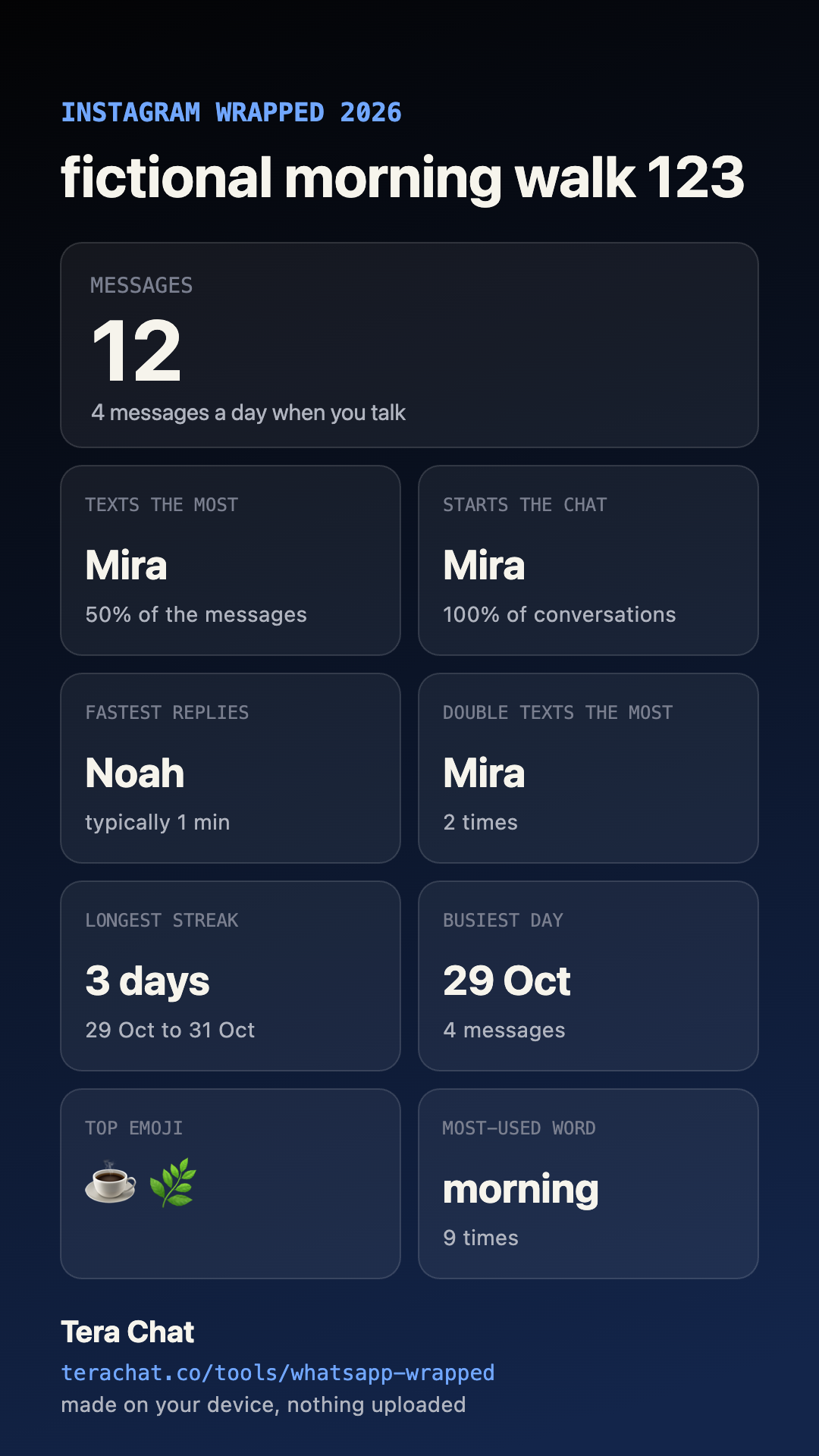
Download this fictional two-part Instagram ZIP and choose it above. It contains one group, Fictional morning walk, with 14 messages: two in 2025 and twelve in 2026. Both parts belong to the same conversation.
| Selection | Messages | Counts by sender | Longest streak |
|---|---|---|---|
| 2026, the default | 12 | Mira 6 · Noah 3 · Zoe 3 | 3 days |
| 2025 | 2 | Noah 1 · Zoe 1 | 1 day |
| All years | 14 | Mira 6 · Noah 4 · Zoe 4 | 3 days |
Choose the recap that fits your question
For one conversation, a selected calendar year and one downloadable card, use the tool above. For the detailed table and activity charts without opening on a recap, use the Instagram chat analyzer. For reading or searching individual messages, use the Instagram chat viewer.
Stats Insta describes story cards, night-owl statistics and combining selected conversations. Its documentation checked on 2 November 2026 says it has no calendar-year filter. Those are vendor descriptions, not an independent security audit. Local processing is offered by both tools. Tera's example above lets you verify the narrower year-selection job yourself.
What the numbers mean
- Messages and top sender: counted within the selected conversation and year, grouped by exported sender name. A media message can count without displaying the attachment; “Liked a message” events are excluded.
- Starts: the first message in the selected period, then messages after at least six hours of quiet.
- Fastest replies: the lowest median gap following a different sender, using gaps shorter than 24 hours. A sender needs at least three qualifying replies to win this tile. In a group, the previous sender is not necessarily the intended recipient.
- Double texts: a person writes again after at least one hour without another sender replying.
- Streak, busiest day and emoji: patterns in the exported messages. Tiles with no qualifying data are omitted.
These are counts and timing conventions, not evidence of attraction, relationship quality or who cares more. The card does not contain your transcript, but names and top words can still be personal. Check it and agree with the other participants before sharing.
A recap without sending the conversation to an AI
The existing Tera Chat browser tool calculates the statistics and draws the image on your device. It does not ask an AI model to read your DMs. You can load this page, disconnect from the internet, then choose the fictional file to check the local workflow. Basic website counters are described in the privacy policy; they do not contain the chat file. Large archives can exceed your phone's available memory.
This is separate from the Tera Chat Mac inbox and its AI reply features. A Mac, Tera account and Instagram login are not required here.
Questions
Can I make Instagram Wrapped without uploading my DMs?
Yes. This page reads Instagram's message JSON on your device and draws the recap in your browser. You do not log in to Instagram here, connect an account or send the file to Tera Chat or an AI service. Load the page before disconnecting from the internet to try local processing.
Can I select only 2026 from an all-time Instagram export?
Yes. Open your export, choose one conversation, then select 2026 above the card. The menu appears when that conversation contains multiple years. The page starts on the latest year in the file. The statistics and saved image use the selected year; messages absent from the export cannot be recovered.
Does it rank all my Instagram conversations?
No. Each recap covers one selected DM or group conversation. A ZIP can contain many conversations, but they remain separate. Tera Chat does not calculate an account-wide best friend, profile viewers, unfollowers or a list of people stalking your profile.
What can I download?
One 1080×1920 PNG recap image containing the selected chat's numbers. On supported phones, Save as image opens the share sheet; otherwise it downloads the PNG. It is not a multi-slide story, video or AI-written roast. Review names and top words before sharing.
What if Instagram split my conversation into several files?
Choose the JSON export ZIP and select one conversation, or choose all numbered message JSON files from that one conversation together. Selecting only message_1.json can omit older messages. Do not combine loose JSON files from different chats or overlapping exports.
Is this an official Instagram feature?
No. This is an independent Tera Chat browser tool for your downloaded messages, not a Meta or Instagram feature. It requires a JSON message export, not screenshots, your password or an HTML download.