How to know if someone read (or muted) your message on WhatsApp, iMessage, Instagram and Telegram
How to know if someone read your message on WhatsApp, iMessage, Instagram or Telegram: read receipts, muted chats, hiding your online status, and what seen means.
The short answer
- Each app shows a read message differently: two blue checks on WhatsApp, "Read" under an iMessage, a seen marker on Instagram, and two checks on Telegram.
- No read marker doesn't mean unread. WhatsApp, iMessage and Instagram let people turn read receipts off, and on WhatsApp switching them off also hides everyone else's from you.
- You usually can't tell if someone muted you: Instagram says it won't let people know, and WhatsApp says contacts won't see that chats are muted. iMessage is the exception, where Apple says senders see a "notifications silenced" note.
- A message that's been read but not answered usually means the person is busy, thinking or planning to reply later, not that they're ignoring you.
- If a read message needs an answer, one easy follow-up works better than guessing.
- To look offline, set WhatsApp's Last seen and online to Nobody (with online not left on Everyone) and turn off Instagram's Show Activity Status. Both are two-way: you stop seeing other people's status too.
To tell if someone read your message, look for the app’s read marker: two blue check marks on WhatsApp, the word “Read” under an iMessage, a seen marker under an Instagram DM, and two checks on Telegram. If the marker isn’t there, the person may not have opened your chat yet, or they may have turned read receipts off, which WhatsApp, iMessage and Instagram all allow. Muting is usually invisible to you, and a message that’s been read without a reply far more often means “busy” than “ignored”.
This guide covers what “read” looks like in each app (checked against each app’s help pages on 20 October 2026), how people turn it off, how to hide your own online status on WhatsApp and Instagram (checked 21 October 2026), what “muted” and “notifications silenced” mean, why being left on read rarely means what it feels like, and what to send next.
What “read” looks like in each app (checked 20 October 2026)
All four apps have read markers, but they work differently, especially when someone turns them off.
| App | What “read” looks like | Can people turn it off? | What you see if they do | Notes |
|---|---|---|---|---|
| iMessage | “Read” under your message, instead of “Delivered” | Yes, for everyone or for one person | “Delivered” only | Apple lists read receipts for iMessage and RCS, not SMS or MMS |
| Two blue check marks; Message info shows when it was read or played | Yes, in Settings > Privacy | Gray checks only; they don’t see yours either | Group read receipts and voice-message play receipts can’t be turned off | |
| A seen marker under your message | Yes, per chat or for all chats | No seen marker | Restrict also hides when someone has read your messages | |
| Telegram | Two checks; in private chats, the read time for 7 days | The read time can be hidden; Telegram documents no switch for the checks | Two checks, no time | Hiding your read time also hides theirs from you, unless you have Premium |
iMessage: “Delivered”, “Read” and “notifications silenced”
On iMessage, “Delivered” means the message reached the person’s device and “Read” means they opened it. Apple says that when someone has read receipts on, “the sender sees the word ‘Read’ below messages they’ve sent”, and otherwise sees “Delivered”.
How people turn read receipts off:
- On iPhone, for everyone: Settings > Apps > Messages, then turn off Send Read Receipts.
- On iPhone, for one person: open the conversation, tap the contact icon at the top, and turn off Send Read Receipts.
- On a Mac: Messages > Settings > iMessage > Settings, then deselect Send read receipts, or set it per conversation by clicking the contact at the top.
The setting is one-way. Apple says “you can’t turn on read receipts for anyone but yourself”: someone can see your read receipts while hiding theirs.
Green bubbles: Apple lists delivery and read receipts as features of iMessage and RCS, and its description of SMS and MMS doesn’t include them. If you’re texting an Android phone over SMS, don’t expect to see “Read”.
What “notifications silenced” means
That line under a conversation means the person isn’t being alerted to new messages right now. Your message is still delivered. According to Apple’s iPhone guide, it can mean any of these:
- They’re using a Focus (such as Do Not Disturb, Sleep or Work) and share their Focus status.
- They’ve turned on Hide Alerts for your conversation.
- They’ve turned off notifications for Messages altogether.
For both of the last two, Apple’s guide notes that “senders receive a note indicating that you have notifications silenced” (Apple). So on iMessage, unlike the other apps, muting can show. The note doesn’t say which of the three it is, and none of them is about you in particular: a Focus silences everyone outside the person’s allowed list.
WhatsApp: check marks, Message info and muted chats
On WhatsApp, one gray check means sent, two gray checks mean delivered, and two blue checks mean read. To see exactly when, open the message’s menu and choose Message info: it shows when the message was delivered, read, and (for voice messages) played (WhatsApp).
If the checks never turn blue, WhatsApp lists these reasons:
- You or the other person turned off read receipts.
- They haven’t opened your conversation.
- They blocked you.
- Either of you has connection problems.
- The date and time are wrong on either phone.
WhatsApp also notes that “when a person gets your message for the first time, a read receipt might not be sent to you”.
How people turn read receipts off: Settings > Privacy, then turn off Read receipts. It works both ways: WhatsApp says “if you turn off read receipts, you won’t be able to see read receipts from others”. It doesn’t cover group chats or voice-message play receipts, which can’t be turned off. One more detail: read receipts reset when you edit a message, so you can see who has viewed the new version.
Muted chats: WhatsApp lets people mute chats for 8 hours, 1 week or always, and its notification help says, about muting the chats in a list, that “your contacts won’t see that you muted the chats”. Muting only silences notifications, so the check marks work as usual.
Instagram: seen, read receipts, Restrict and mute
Instagram shows a seen marker under your DM when the other person has read it, unless they’ve turned read receipts off. Instagram says read receipts “allow others in a chat on Instagram to see when you’ve viewed their message” (Instagram).
How people turn read receipts off:
- For one chat: open the chat, tap the chat name at the top, tap Privacy & safety and turn off Read receipts.
- For every chat: go to your profile, tap the menu, then under How others can interact with you tap Messages and story replies > Show read receipts.
A setting changed in one chat stays as it is even if the person later changes the account-wide setting.
Other reasons you won’t see “seen”:
- Restrict. If someone restricts you, you can’t tell whether they’ve read your messages: Instagram says a restricted person “won’t be able to see when you’re online or if you’ve read their messages”, and the chat moves to the other person’s message requests.
- Message requests. If the person doesn’t follow you, your DM can sit in their requests folder until they accept it.
Muted: Instagram is clear here: “Instagram won’t let them know you muted them” (Instagram). People can mute messages, calls, posts or stories separately.
Telegram: one check, two checks and read times
On Telegram, one check means the message reached Telegram’s cloud and the person was notified if they allow notifications; two checks mean “your friend opened Telegram and opened the conversation with the message” (Telegram). Telegram doesn’t document a way to stop the second check from appearing.
What people can hide is the read time. In one-to-one chats, Telegram shows when your message was opened for 7 days, and people who hide their last seen from you can hide their read time from you too. By default it works both ways: Telegram says hiding your last seen or read time from someone “also hides theirs from you”, while Telegram Premium lets you hide yours and still see the read times of people who share theirs.
Muted: Telegram’s FAQ mentions muting groups so you’re only notified about mentions and replies, and it doesn’t describe any notice to the other person.
How to hide your online status on WhatsApp and Instagram
To stop people seeing when you’re online, set Last seen and online to Nobody (or a smaller group) in WhatsApp’s privacy settings, without leaving online on Everyone, and turn off Show Activity Status on Instagram. Both work both ways: hide yours and you can’t see other people’s. Neither one hides read receipts, which have their own switch (see the sections above).
| App (checked 21 October 2026) | Who can see you’re online | Where to hide it | The trade-off |
|---|---|---|---|
| By default, people you’ve messaged or called before, or saved as a contact; your last seen goes to your contacts | Settings > Privacy > Last seen and online | You can’t see anyone’s last seen or online either | |
| With Activity Status on, people you follow and anyone you message | Messages and story replies > Show Activity Status | You can’t see anyone else’s Activity Status |
WhatsApp: Last seen and online
- iPhone: tap Settings (or your profile picture), then Privacy > Last seen and online, and choose Everyone, My Contacts, My Contacts Except… or Nobody.
- Android: open the menu, then Settings > Privacy > Last seen and online, with the same choices.
On WhatsApp, “online” means the app is open on the person’s device and connected to the internet, and WhatsApp adds that this “doesn’t mean the user has read your message” (WhatsApp). Before you change the setting, know the rules from WhatsApp’s privacy settings page:
- It’s two-way. “If you don’t share your last seen or online, you can’t see other users’ last seen or online.”
- “Everyone” isn’t everyone. Even with Everyone selected, only people you’ve called or messaged before, or who you’ve saved as a contact, see your last seen and online.
- Online is its own choice. WhatsApp’s help treats online as a separate setting with an Everyone option: if online is left on Everyone, people who can see it still see you online, and you’re included in each group’s online count. Check both choices on the screen.
- Typing still shows. People who are online in a chat with you can see when you’re typing.
Instagram: Activity Status
When Activity Status is on, “people you follow and anyone you message will see when you were last active or currently active on Instagram”, shown next to your profile picture in messaging (Instagram).
- Phone: go to your profile, tap the menu, then under How others can interact with you tap Messages and story replies > Show Activity Status and turn it off.
- Computer: click More at the bottom left, then Settings > Messages and story replies > Show Activity Status, and turn it off.
With it off, you won’t see when accounts that follow you or that you chat with are active, or anyone else’s Activity Status. To hide your online status from one person only, Restrict them: Instagram says a restricted person can’t see when you’re online or whether you’ve read their messages.
Telegram and iMessage
On Telegram, the last-seen setting covers online status too: “People can only see you online if you’re sharing your last seen status with them” (Telegram). There are exceptions: whatever your setting, someone sees you online for about 30 seconds when you message them, read their message in a one-to-one chat, or type in a chat you share with them. Hide your last seen and others see an approximate time instead (Telegram), which our guide on how to know if someone blocked you explains. iMessage has no online or last-seen status, so there’s nothing to hide.
Can you tell if someone muted you?
Mostly, no. On WhatsApp, Instagram and Telegram, muting changes only the other person’s notifications. Instagram says people aren’t told, and WhatsApp says the same about chats muted from a list. iMessage is the exception: Apple’s guides say senders see “notifications silenced” when someone hides alerts for a conversation, turns off Messages notifications or shares a Focus, and that note can’t tell you which.
Muting also isn’t the same as ignoring. People mute busy group chats, mute while they work or sleep, and still read and answer later.
Why “seen” doesn’t mean ignored
A read marker records the moment someone opened your chat, not the moment they had the time, energy or answer to reply. Common reasons for a read message without a reply:
- They read it between other things and meant to reply later, then the moment passed.
- The reply takes thought: a decision, a calendar check, a feeling they want to word carefully.
- They’re low on energy, travelling, ill or at work with their phone face down.
- They replied in their head. Plenty of people do this, especially those who find texting stressful.
It’s natural to read meaning into timing, but a read receipt only records when the chat was opened. When one starts to sting, remember that the meaning you’re reading into the gap is a guess, and an anxious mind tends to guess the worst.
It helps to know the person’s normal pace. Some people reply within minutes, others within a day or two. If you have a WhatsApp export, a Telegram Desktop export or Instagram’s message download (in JSON format), our free chat analyzer, a web page from the team behind Tera Chat for Mac, shows each person’s typical reply time, and it reads the file in your browser without uploading it. For reply windows by relationship, see how long is too long to reply to a text.
What to send when you’ve been left on read
If the message needed an answer, one follow-up after a reasonable gap is fine. Make it easy to answer, don’t mention the read receipt, and don’t send a second one if it goes unanswered.
Example messages, made up for this guide:
| Situation | Example follow-up |
|---|---|
| A plan that needs an answer | “Still on for Saturday at 7? I’ll book the table on Thursday, so let me know by then.” |
| A casual question to a friend | “No rush on this, whenever you’ve got a minute.” |
| After you shared something heavy | “I know that was a lot. Take whatever time you need, no reply needed.” |
| A work question | “Quick nudge on the deck: yes or no on the new intro is all I need by Friday.” |
What to leave out: “I saw you read it”, “???”, or a string of follow-ups. They turn a slow reply into a confrontation.
If silence keeps going and you start wondering about something bigger, our guide on how to know if someone blocked you covers the signs in each app and what they can and can’t tell you. If read receipts themselves make you anxious, texting anxiety explains why and what helps.
If you’re the one leaving people on read
Turning read receipts off is a normal, legitimate choice, especially if they make you feel you must answer instantly. A short holding reply (“Saw this, will answer properly tonight”) takes a few seconds and stops the other person guessing.
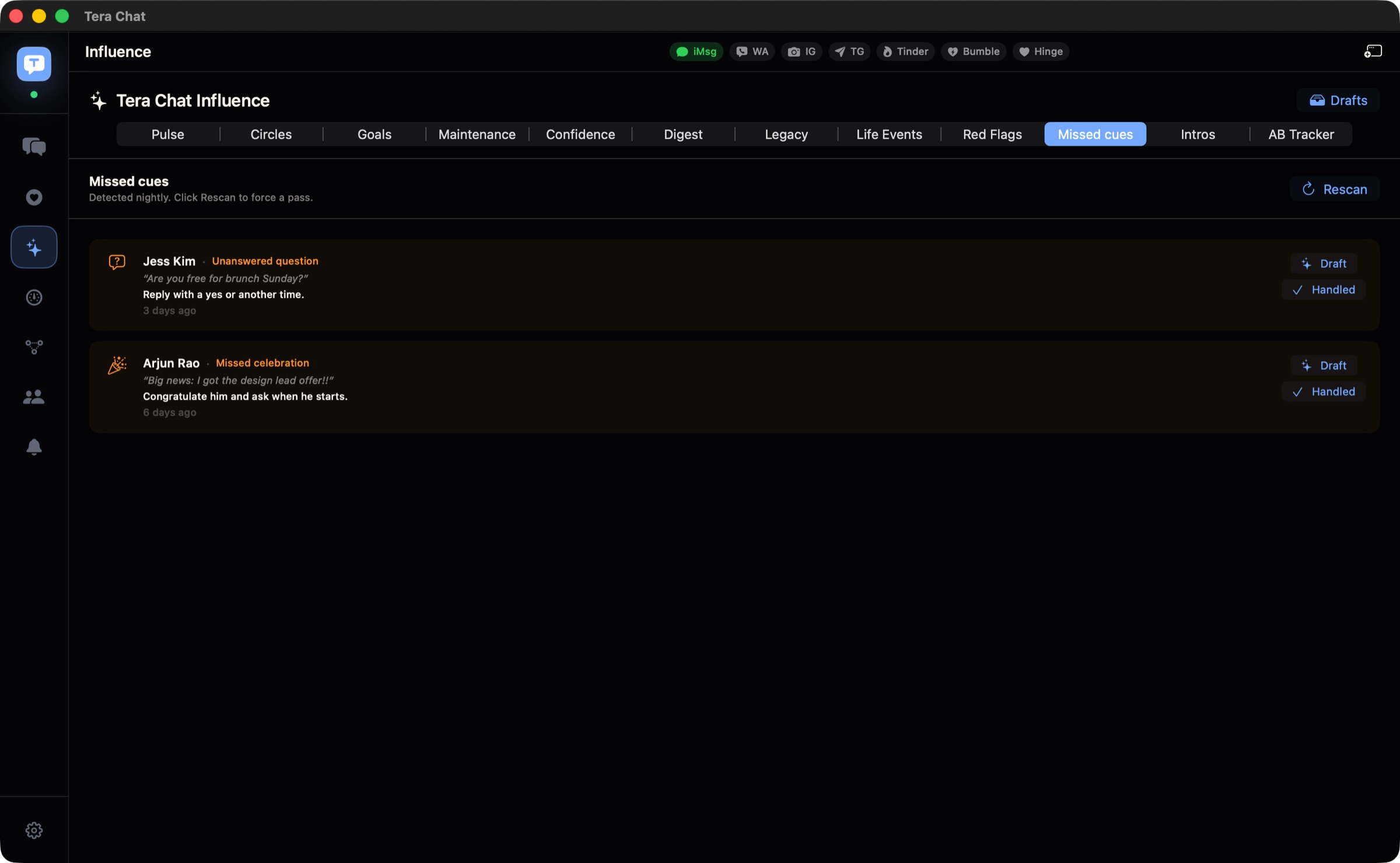
If messages slip through because they’re spread across apps, Tera Chat for Mac is our free app that puts iMessage, WhatsApp, Telegram, Instagram and Tinder in one inbox, with a Needs Reply view and a nightly scan for missed cues, such as questions you never answered. It needs a Mac with Apple silicon on macOS 15 or later. For the habit side, our guide to being bad at texting back has a system that doesn’t rely on willpower, and keeping in touch with friends as an adult covers how often to reach out.
The short version
Two blue checks (WhatsApp), “Read” (iMessage), a seen marker (Instagram) and two checks (Telegram) mean the person opened your chat. No marker can mean they haven’t, or that they’ve turned read receipts off. Muting is invisible on WhatsApp, Instagram and Telegram, and shows only as a vague “notifications silenced” on iMessage. To look offline yourself, hide your last seen and online on WhatsApp or your Activity Status on Instagram, knowing you’ll lose sight of everyone else’s. And “read” without a reply is usually just life getting in the way: give it time, then send one easy follow-up if you need an answer.
Frequently asked questions
Can I tell if someone read my WhatsApp message if they turned read receipts off?
Not in a one-to-one chat: if either of you turns read receipts off, the blue checks don't appear. WhatsApp says read receipts in group chats and play receipts for voice messages can't be turned off.
Does "Delivered" on iMessage mean they haven't read it?
Not necessarily. Delivered shows when the person hasn't opened the message yet, and it's also all you'll ever see if they have read receipts turned off.
Can someone read my Instagram DM without me knowing?
Yes. They can turn read receipts off for one chat or for all chats, and if they've restricted you, Instagram says you won't see when they've read your messages.
Can you turn off read receipts on Telegram?
Telegram's two checks mean the person opened your conversation, and Telegram doesn't document a way to hide them. What people can hide is the exact read time in private chats, from anyone who can't see their last seen.
Is it rude to leave someone on read?
It depends on the message. A question that needs a decision deserves at least a quick holding reply; banter or a link can wait. Turning read receipts off is a normal choice if they make you feel pressured to answer instantly.
Can I read WhatsApp messages without showing as online?
In Settings > Privacy > Last seen and online, choose Nobody and make sure online isn't left on Everyone; then nobody sees you online. To hide the blue checks as well, turn off Read receipts. Both settings are two-way, and read receipts in group chats are always sent.
Published . How we write and check our guides. Spotted something out of date? Email hello@terachat.co.